Many of us have experienced the frustration of older wireless chargers. A slight nudge in the night could mean waking up to a phone with a nearly empty battery. Apple’s solution, built directly into recent iPhones, is the MagSafe charger. This system uses a ring of magnets to ensure your phone and the charger snap into perfect alignment every single time, eliminating the guesswork that often made older chargers inefficient. This is the core principle of our iphone wireless charging guide: a secure connection delivers reliable power.
Unlike standard Qi wireless charging that requires precise placement, the magnetic lock of MagSafe and the newer Qi2 standard guarantees an optimal connection. For a new iPhone user, this delivers three clear benefits. First, you get faster charging speeds because the connection is perfect. Second, less energy is wasted as heat, which is better for your battery. Finally, the connection is strong enough that you can pick up and use your phone while it continues to charge. This magnetic alignment is setting a new benchmark for all wireless charging, and you can explore the different models in our guide to the best magsafe chargers available today.
Pads, Stands, or Multi-Device Stations?
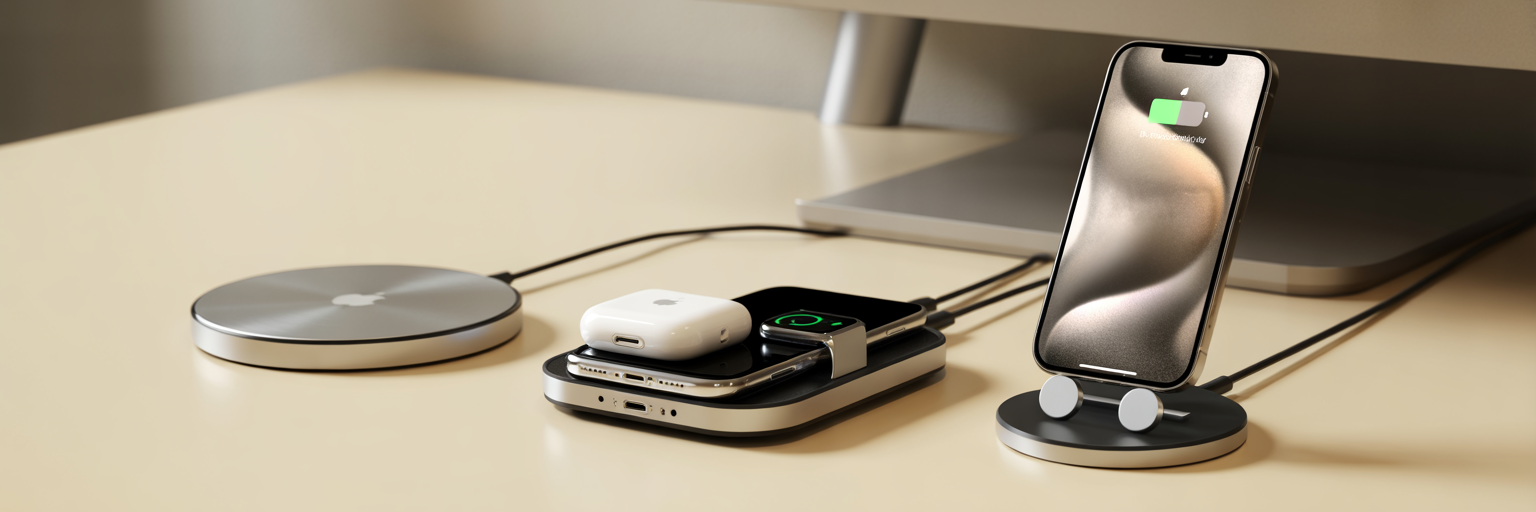
Once you understand the technology, the next step is choosing a form factor that fits your daily routine. The decision comes down to three main types: pads, stands, and multi-device stations. Each serves a different purpose, so consider where and how you charge your devices most often.
A charging pad is the simplest option. It’s a small, minimalist puck that lies flat on a surface, making it perfect for a kitchen counter, a guest room nightstand, or any space where you just want to set your phone down to charge. For a desk or bedside table, a magsafe charging stand is often a better choice. It holds your iPhone upright, which is ideal for viewing notifications, taking video calls, or using iOS StandBy mode. This feature turns your locked, charging iPhone into a useful smart display for clocks, widgets, and photos.
If you own an iPhone, Apple Watch, and AirPods, a 3-in-1 magsafe charger is the most streamlined solution. These stations power all three devices from a single wall outlet, dramatically reducing cable clutter. The main trade-off is that multi-device chargers often split their total power output. This means charging three devices at once may be slower than using a dedicated charger for each one, but the convenience is a significant advantage for many users.
| Charger Type | Best For | Key Advantage | Potential Downside |
|---|---|---|---|
| Charging Pad | Minimalist setups, guest rooms, kitchen counters | Small footprint and simple to use | Phone lies flat, cannot be used for StandBy mode |
| Charging Stand | Desks and bedside tables | Holds phone upright for viewing and StandBy mode | Less portable and takes up more vertical space |
| Multi-Device Station | Users with an iPhone, Apple Watch, and AirPods | Charges multiple devices at once, reduces cable clutter | May charge devices slower when all are connected |
This table compares the most common MagSafe charger formats based on typical use cases. The choice depends on the devices you own and where you plan to do most of your charging.
Key Factors Affecting Charging Speed
Not all MagSafe charging experiences are equally fast, and the reasons often come down to a few key factors. Understanding them ensures you get the performance you expect. The most critical element is not the charger itself but the power adapter it is plugged into. To get the fastest 15W wireless charging on a compatible iPhone, you need to connect your MagSafe charger to a USB-C power adapter that is 20W or higher. Using a less powerful adapter, like an old 5W brick, will result in significantly slower charging.
A strong magnetic lock is also essential for efficiency. A weak connection, whether from a low-quality charger or a thick, non-compatible case, will cause the iPhone to default to much slower charging speeds to ensure safety. This brings up another factor: heat. iPhones automatically slow down charging if they get too warm, a normal safety feature designed to protect the battery’s long-term health. This is more likely to happen with uncertified chargers that lack proper thermal management. As confirmed in Apple’s official guide on how to use your MagSafe Charger with iPhone, these power and connection requirements are fundamental to performance. Finally, while the power adapter is most important, always use the cable included with your charger or another high-quality certified cable to avoid any bottlenecks.
Ensuring Case and Charger Compatibility
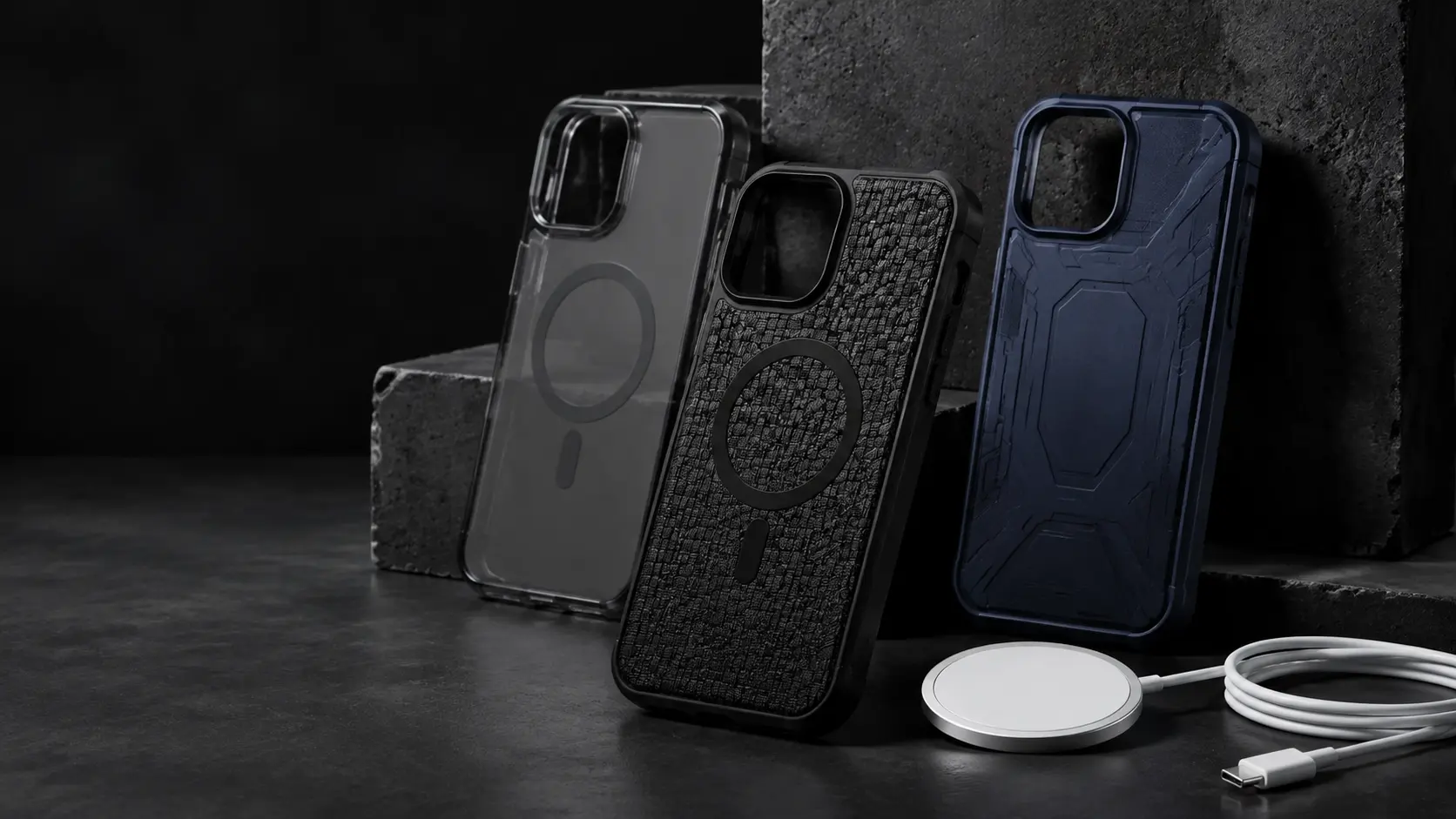
The phone case you use plays a crucial role in your MagSafe experience. True magsafe case compatibility means the case has its own ring of magnets built in. These magnets align perfectly with those in the iPhone, ensuring a strong lock and efficient power transfer. Without this, you will likely face issues.
Standard cases, especially those thicker than 3mm, will significantly weaken the magnetic connection. This not only leads to slow and inefficient charging but also makes it easy for your phone to get knocked off a stand or mount. When shopping for a case, you should avoid any designs with metal plates, pop-out kickstands, or credit card holders on the back, as these features will physically block the MagSafe connection and prevent it from working at all.
Most importantly, we strongly recommend choosing chargers that are either Apple MFi (Made for iPhone) or Qi2 certified. These certifications are not just marketing labels. They are a guarantee that the product has been tested for safety, performance, and proper heat management. Using a certified charger is the best way to protect your iPhone’s battery health for the long term. It is an investment in both charging speed and device safety.
Your Pre-Purchase MagSafe Checklist

Answering a few simple questions can help you determine how to choose a magsafe charger that is right for you. Use this checklist to guide your decision before you buy.
- What devices do you charge daily? If you only charge your iPhone, a single-device pad or stand is sufficient. If you also have an Apple Watch and AirPods, a 3-in-1 station will simplify your setup.
- Where will the charger live? Think about the location. A stand is more useful on a desk for at-a-glance viewing, while a discreet pad works well in a common area like the living room or kitchen.
- Is your case ready for MagSafe? Check if your current case has magnets for MagSafe. If not, you should plan to buy a compatible one to get reliable performance and a secure connection.
- Do you have the right power adapter? Look at the charger’s requirements. To get the fastest 15W speeds, you will need a 20W or 30W USB-C power adapter. Check if you already own one or need to purchase it separately.
- Will you be traveling with it? If you travel frequently, a compact charging pad or a foldable multi-device charger is a practical choice that saves space and reduces the number of cables you need to pack.
Making the Right Choice for Your Needs
Choosing your first MagSafe charger comes down to matching the hardware to your habits. The best model is not the most expensive one, but the one that fits seamlessly into your daily life. By focusing on three key points, you can make a confident choice. First, select the right form factor, whether it is a pad, stand, or multi-device station. Second, make sure you have the correct power adapter to achieve full charging speeds. Finally, confirm your phone case is MagSafe-compatible for a secure and efficient connection. Get these three things right, and your new charger will be a reliable and convenient addition to your iPhone experience.