Common mistakes that reduce protection, hurt charging or trap damaging grit.
Leaving grit inside the case
Dust trapped between a rigid case and the phone can create fine scratches. Remove the case periodically, clean both surfaces and make sure everything is dry before reinstalling.
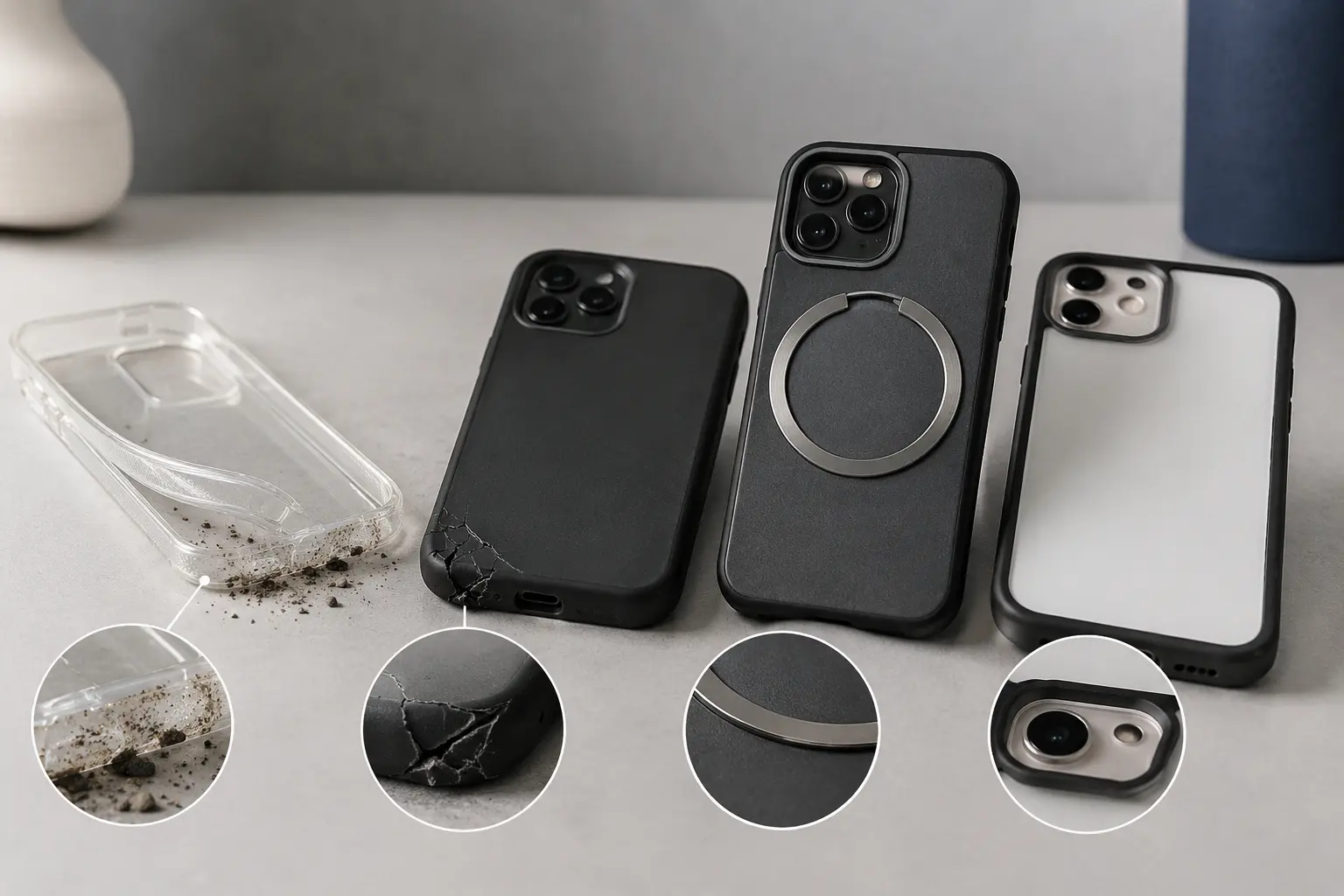
Ignoring damage
A cracked corner, stretched side or separated layer can no longer distribute impact as designed. Replace a case after a serious drop when its structure or fit changes.
Buying the wrong compatibility
Similar phone names do not mean identical dimensions. Confirm the exact model, charging system and button layout, especially for Plus, Pro, Ultra and FE variants.
Using the Wrong Case for the Phone
Similar names do not mean identical dimensions. A case made for a Pro model may cover a microphone or fail to grip the corners of the standard model. Confirm the model number in the phone settings before ordering.
Adding Metal in the Charging Path
Adhesive plates used with older magnetic mounts can interfere with wireless charging. If you need both functions, use a properly aligned magnetic-ring case and a compatible mount instead of placing a solid plate across the charging coil.
Ignoring the Screen and Camera Edges
A case should keep the display and lenses off a flat table. Decorative cases with nearly flush edges may look sleek but provide little help during a face-down or camera-side impact.
Keeping a Damaged Case Too Long
Replace a case when the corners stretch, rigid layers crack or the phone begins moving inside it. A case can look acceptable while no longer holding the device securely.
Assuming a Case Is Waterproof
Most phone cases are not waterproof, even when they cover the charging port. The phone may have its own water-resistance rating, but that resistance can decline with age or damage. Use a purpose-built sealed enclosure when the phone will be submerged.
Letting Heat Build Up
Charging, gaming, navigation in sunlight and recording video can all generate heat. A thick case may slow cooling. If the phone displays a temperature warning, stop demanding tasks, move it out of direct sun and remove the case while it cools.
Forgetting to Inspect After a Drop
Remove the case and check the phone, corners and rigid shell. A hidden crack or stretched corner can make the next drop more dangerous. Test the cameras, buttons and charging port before assuming everything is fine.
Frequently Asked Questions
How often should I remove and clean the case?
Every few weeks is reasonable, and sooner after exposure to sand, dust or spills.
Can a case scratch the phone?
The case itself may not, but trapped grit can rub against the finish.
Should I remove the case when the phone overheats?
Yes. Let the phone cool in a safe place and investigate the app, charger or environment causing the heat.